 DisonObudho
App Link in Google Drive:
PizzaPerk Food Delivery Mobile App
The PizzaPerk Food Delivery app is a comprehensive mobile application built with Expo, showcasing a variety of advanced features and technologies:
Key Features and Technologies:
Expo Libraries:
- Utilized the latest Expo libraries, including
expo-routerfor efficient navigation. - Integrated
expo-modules-corefor enhanced modularity and functionality.
- Utilized the latest Expo libraries, including
Cart Logic:
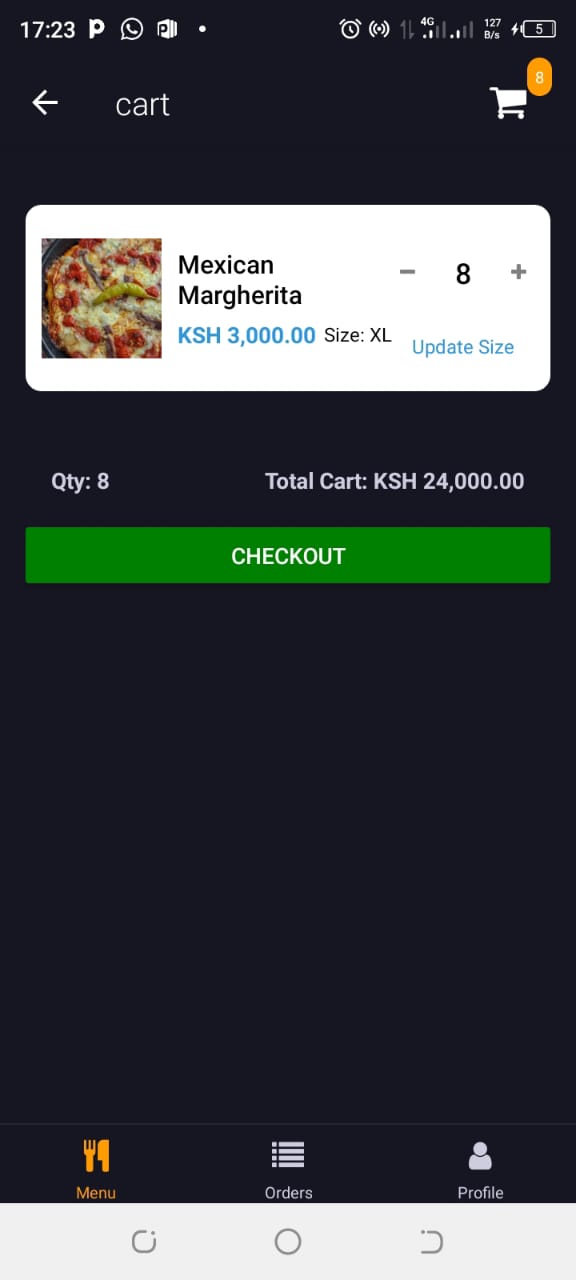
- Implemented a dynamic cart system where the total adjusts effectively when items are added or removed.
- Price tags automatically update based on pizza sizes, ensuring accurate pricing.
- Developed a logic to distinguish between drinks (no size update) and pizzas (size update required), ensuring clear categorization.
State Management:
- Utilized Redux for robust state management, ensuring a smooth and responsive user experience.
User Experience:
- Enhanced UX with modals that appear when specific categories are selected, providing a seamless navigation experience.
- Integrated Lottie animations for a visually appealing loading status.
TypeScript and NativeWind:
- Leveraged NativeWind for efficient TypeScript integration.
- Demonstrated proficiency in TypeScript, ensuring type safety and maintainability.
Backend Integration:
- Implemented Supabase for the backend, providing a scalable and secure database solution.
- Developed a logic to differentiate user roles, allowing only admins to access the admin section.
- Admin functionality includes full CRUD operations and seamless navigation between admin and user interfaces.
Sample Expo Libraries Used:
expo-routerexpo-modules-coreexpo-avexpo-image-picker
Admin and User Functionalities:
- Admins can perform CRUD operations on the admin side and have access to navigate to the user side.
- User profiles are grouped into either user or admin in the profiles table, ensuring secure access control.
The PizzaPerk Food Delivery app highlights expertise in modern mobile development technologies, efficient state management, backend integration, and providing an enhanced user experience.
The following react depencies were used in this project:
"@expo/vector-icons": "^14.0.2",
"@react-native-async-storage/async-storage": "^1.23.1",
"@react-native-masked-view/masked-view": "^0.3.1",
"@react-native-picker/picker": "2.7.5",
"@react-navigation/material-top-tabs": "^6.6.13",
"@react-navigation/native": "^6.0.2",
"@reduxjs/toolkit": "^2.2.6",
"@stripe/stripe-react-native": "0.37.2",
"@supabase/supabase-js": "^2.44.2",
"@tanstack/react-query": "^5.50.1",
"aes-js": "^3.1.2",
"axios": "^1.7.2",
"base64-arraybuffer": "^1.0.2",
"date-fns": "^3.6.0",
"expo": "~51.0.18",
"expo-auth-session": "^5.5.2",
"expo-crypto": "^13.0.2",
"expo-device": "^6.0.2",
"expo-font": "~12.0.7",
"expo-image": "~1.12.12",
"expo-image-picker": "^15.0.7",
"expo-linear-gradient": "^13.0.2",
"expo-linking": "~6.3.1",
"expo-location": "^17.0.1",
"expo-notifications": "^0.28.9",
"expo-react-native-skeleton-placeholder": "^0.0.1",
"expo-router": "~3.5.17",
"expo-secure-store": "^13.0.2",
"expo-splash-screen": "~0.27.5",
"expo-status-bar": "~1.12.1",
"expo-system-ui": "~3.0.7",
"expo-web-browser": "~13.0.3",
"formik": "^2.4.6",
"lodash": "^4.17.21",
"lottie-react-native": "^6.7.2",
"nanoid": "^5.0.7",
"native-notify": "^4.0.4",
"nativewind": "^2.0.11",
"react": "18.2.0",
"react-dom": "18.2.0",
"react-native": "0.74.3",
"react-native-animatable": "^1.4.0",
"react-native-calendars": "^1.1305.0",
"react-native-countdown-fixed": "^2.7.1",
"react-native-elements": "^3.4.3",
"react-native-gesture-handler": "~2.16.1",
"react-native-get-random-values": "^1.11.0",
"react-native-maps": "^1.15.6",
"react-native-pager-view": "6.3.0",
"react-native-picker-select": "^9.1.3",
"react-native-reanimated": "~3.10.1",
"react-native-root-siblings": "^5.0.1",
"react-native-safe-area-context": "4.10.1",
"react-native-screens": "3.31.1",
"react-native-tab-view": "^3.5.2",
"react-native-toast-message": "^2.2.0",
"react-native-web": "~0.19.10",
"react-redux": "^9.1.2",
"styled-components": "^6.1.11",
"yup": "^1.4.0"
Sections
Homepage
The video showcases some of the major functionalities in the app. Even though the project is still under developed, major functionalities have been implemeneted
Food Delivery
PizzaPerk Food Delivery App Launch Experience
Upon launching the PizzaPerk Food Delivery app, users are greeted with a seamless and engaging introduction to the app’s functionality:
- Splash Screen: The app starts with an eye-catching splash screen featuring the PizzaPerk logo and a brief animation. This screen sets the tone for the app’s branding and gives users a moment to anticipate the loading process.
Watch Video

Welcome Screen: After the splash screen, users are directed to a welcoming screen that may include an overview of key features and a call-to-action to get started. This screen provides a brief introduction to the app’s purpose and encourages users to explore its offerings.
Authentication: If the user is not logged in, they will be prompted to sign in or create an account. The authentication process is straightforward, with options to log in via email or google. For returning users, an easy login process ensures quick access to their account.
Home Screen: Once authenticated, users are taken to the home screen, which displays a well-organized layout of available food categories. The home screen is designed for easy navigation, with intuitive modals and filters to help users find their desired meals quickly.
Watch Video
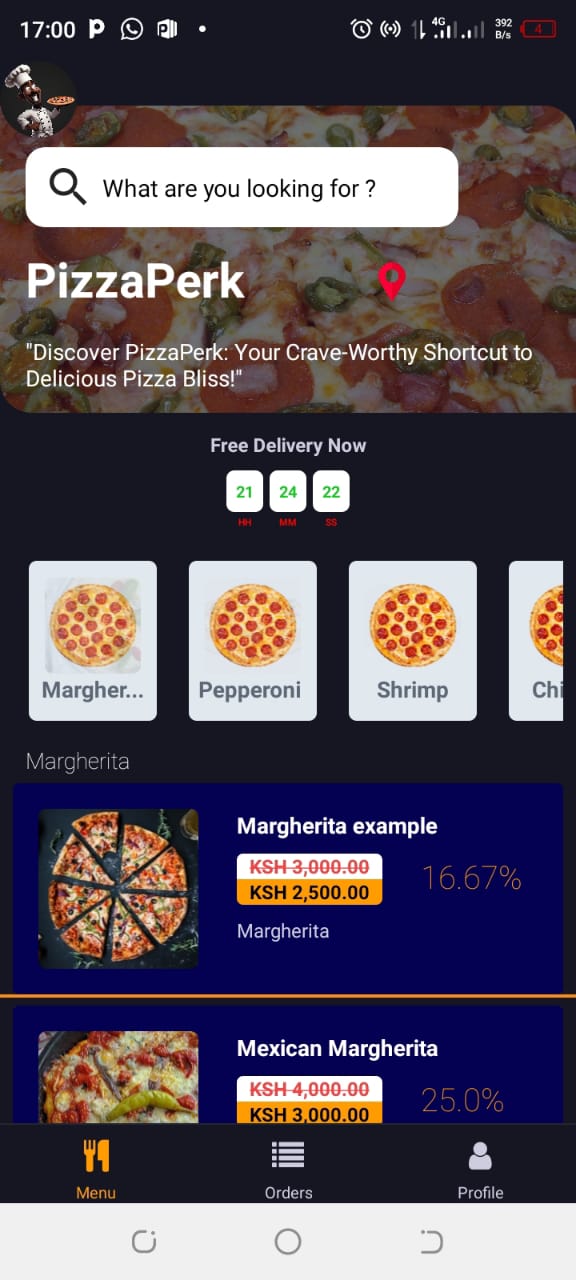
- Cart Logic: Users can access their cart from any screen, with real-time updates reflecting item additions and modifications. Interactive modals guide users through selecting pizza sizes, drink options, and customizing their orders, ensuring a smooth and efficient ordering process.
Implemented a dynamic cart system where the total adjusts effectively when items are added or removed.
- Price tags automatically update based on pizza sizes, ensuring accurate pricing.
- Developed a logic to distinguish between drinks (no size update) and pizzas (size update required), ensuring clear categorization.
Watch Videos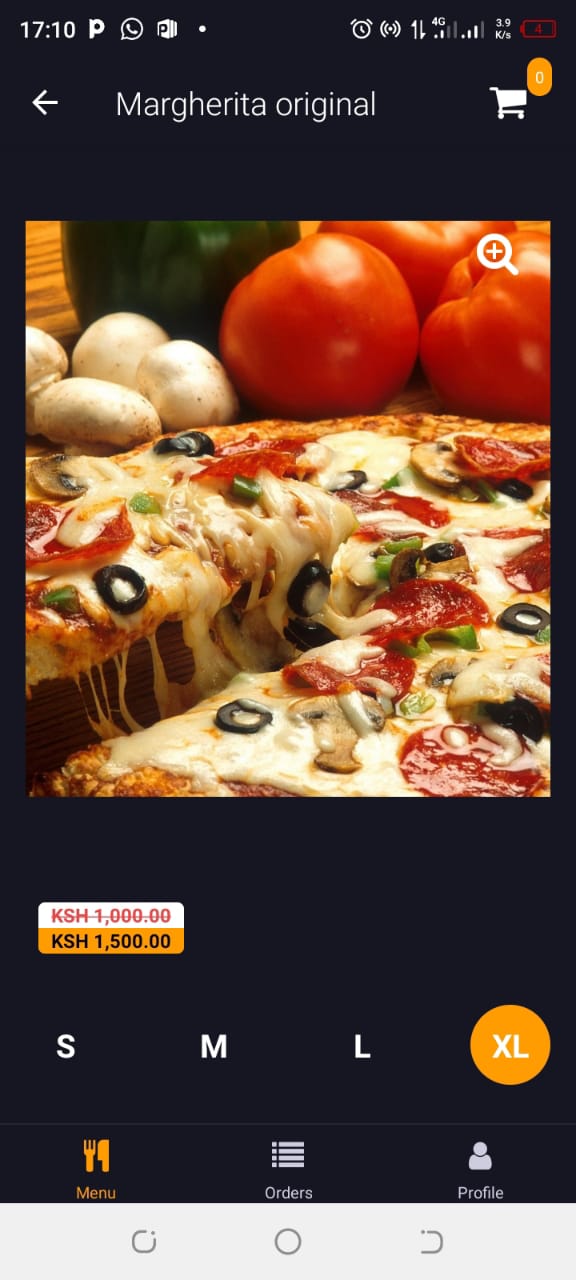
Beautiful Animations: Throughout the app, users will experience engaging Lottie animations that enhance the visual appeal and provide feedback during loading, transitions, and interactions. These animations contribute to a polished and enjoyable user experience.
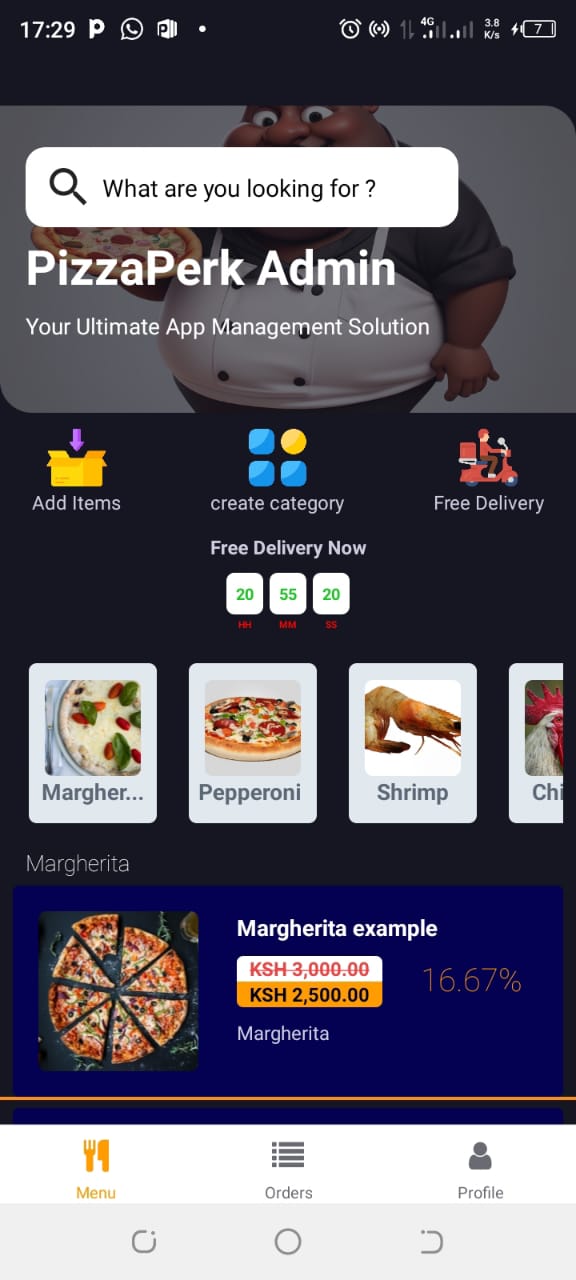
Admin Dashboard: For administrators, the app features a dedicated admin dashboard with CRUD (Create, Read, Update, Delete) operations and role-based access. The dashboard allows for efficient management of orders, menu items, and user roles, ensuring smooth operations and administrative control.
Watch Videos
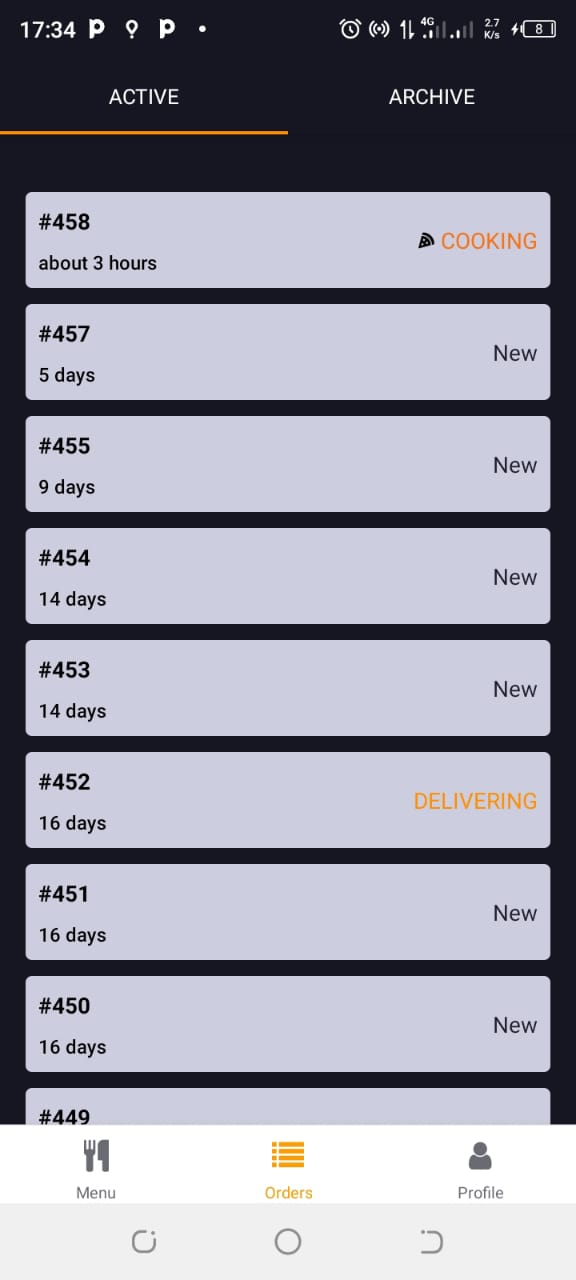
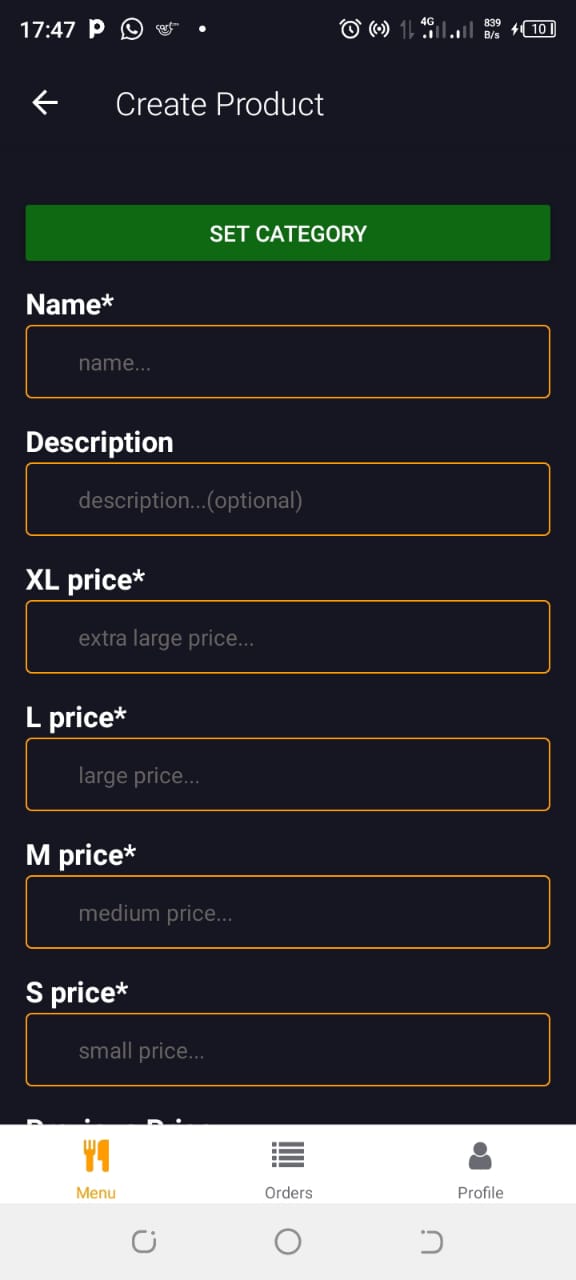
The PizzaPerk Food Delivery app, built with Expo, Redux, NativeWind, and Supabase, offers a modern and responsive design with a focus on user-friendly navigation and interactive features. The launch experience is designed to be engaging and intuitive, setting the stage for a delightful food delivery experience.